Planning Ahead
Getting Your Affairs in Order: The Complete Checklist
A practical, judgment-free checklist for getting your affairs in order: the documents, accounts, passwords and wishes your family would need — and where to keep it all.
"Getting your affairs in order" sounds like something you do in a lawyer's office at eighty. In practice it's simpler and more urgent than that: it means that one person you trust could find everything that matters — your accounts, your passwords, your documents, your wishes — without guessing, digging, or hiring anyone.
Most families can't. Not because anyone was careless, but because modern life is scattered across dozens of logins, a phone with a passcode, and paperwork in four different drawers. When something happens — a death, a hospital stay, even a bad accident — the family isn't just grieving. They're locked out.
This checklist is the fix. It's organized around the three "doors" your family would need to open: your digital life, your money and documents, and your wishes. Work through it in an afternoon, or start with the 30-minute version at the end. No legal jargon, and nothing here requires a lawyer to begin.
Digital access: passwords, phone, and online accounts
This is the first locked door — the one families get stuck at first, and hardest. A locked phone can take a court order to open — and even then, Apple and Google won't hand over accounts without the right legal paperwork unless you set things up in advance.
- Phone passcode — written down, stored with your important papers (not taped to the phone).
- Password manager master password — the one password that unlocks all the others. If you don't use a password manager, list your top 10 logins: email, banking, phone carrier, utilities.
- Primary email password — email is the master key to everything else (password resets go there).
- Apple Legacy Contact set — takes 3 minutes in Settings, and it's the official way your family gets your photos and iCloud data. (Apple's official instructions)
- Google Inactive Account Manager set — the Google equivalent. (Google's official instructions)
- Two-factor backup codes — printed. If your phone is the second factor and the phone is locked, 2FA locks your family out twice.
- List of subscriptions and auto-payments — streaming, insurance drafts, storage units, anything that quietly charges a card every month.
- Social media accounts — listed, with a note on what you'd want done with them (memorialized, deleted, left alone).
Financial accounts and important documents
The second door. Your family doesn't need the account balances. They need to know what exists and where it lives. Unclaimed-property offices in the U.S. are holding billions of dollars largely because families never knew an account existed.
- Bank accounts — institution and account type for each (checking, savings, CDs).
- Retirement accounts — 401(k)s from every old employer, IRAs, pensions. These are the ones that get lost.
- Investment accounts — brokerages, stock plans, crypto (with access notes).
- Life insurance policies — insurer, policy number, and where the physical policy is. A policy nobody knows about pays nobody.
- Other insurance — health, home, auto, long-term care.
- Property — deeds, titles, mortgage details, and where the originals are.
- Debts — mortgage, cards, loans. Families need the full picture, not a surprise.
- Will and/or trust — its location, and your attorney's name if you have one. (A checklist like this is not a will — see the FAQ below.)
- Power of attorney and advance directive / living will — these matter while you're alive, in a hospital scenario. Location + who holds copies.
- Vital records — birth certificates, marriage certificate, Social Security cards, military discharge papers (needed for benefits).
- Safe deposit box or home safe — where it is, where the key is, who has access.
- Recent tax return location — the map to almost every financial account you own.
Your wishes: care decisions, funeral preferences, and who to notify
The third door — the one only you can open in advance, because nobody can guess what you never said.
- Care wishes — what you'd want (and not want) if you couldn't speak for yourself. Formalize with an advance directive; write the plain-English version here.
- Funeral or memorial preferences — burial vs. cremation, tone, anything pre-paid. Families fight hardest over what was never said.
- The call list — who to notify: family, closest friends, your attorney, financial advisor, employer's HR (there may be benefits), and the Social Security Administration (how SSA is notified).
- Pet care plan — who takes them, vet info, any money set aside.
- Personal messages — optional, and the part families keep forever.
- Tell one person where all of this lives. The best-organized file in the world is worthless if nobody knows it exists.
The 30-minute version (start here if the list feels heavy)
Five items cover the worst of it. Do these today:
- Write down your phone passcode and email password; seal them with your important papers.
- Set your Apple Legacy Contact or Google Inactive Account Manager (3 minutes each).
- List every bank and retirement account — institution names only.
- Write where your will, deed, and insurance policies physically are.
- Tell one person where that piece of paper lives.
Ways to organize it all — an honest comparison
I researched every approach people actually use for this (including competitors of my own product — prices checked July 2026):
| Approach | Cost | Good | Watch out |
|---|---|---|---|
| DIY binder (printables + office-store binder) | $15–30 | Cheapest; fully custom | You're the project manager — most DIY binders stall half-finished |
| Fill-in planner books (Amazon, e.g. Clever Fox) | $8–25 | Guided; cheap; ships fast | Generic prompts; thin paper; little coverage of digital accounts |
| The Nokbox (folder system) | $69–179 | Very thorough physical filing system | A weekend-sized project; bulkier than most families need |
| Digital vaults / apps | Free–$100/yr | Easy to update; shareable | It's another login your family has to know about — the lockout problem, again |
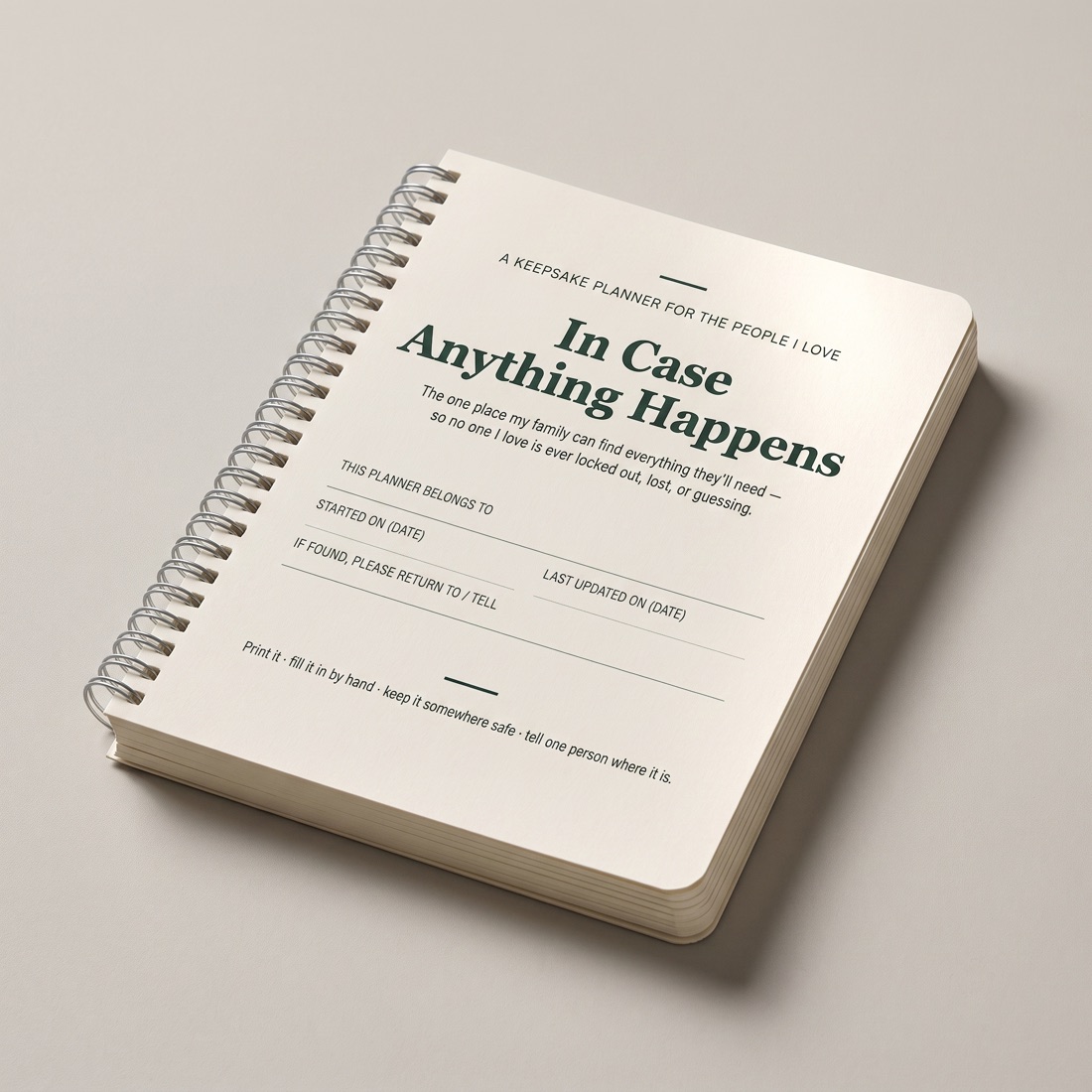
| In Case Anything Happens (this site — printed guided planner) | $59, or $89 for the two-book couples set | Guided like a book, covers the digital door in depth, physical so there's nothing to log into | One evening of honest writing — it doesn't fill itself in |
Yes, I sell one of these. The comparison is honest anyway — for some families a $15 DIY binder is genuinely the right answer. The point is to pick one and finish it.
Common questions
Is this the same as a will?
No. A will is a legal document that says who gets what; only a will (or trust) does that job — our estate planning checklist covers those documents one by one. A checklist or planner is the practical layer — where things are, how to get in, who to call. Families need both. Nothing on this page is legal advice.
What should an end-of-life planner include?
Everything above: digital access, the money-and-documents map, and your wishes. If a planner you're considering skips the digital section, it was written for a world before smartphones — that's now the door families get stuck at first.
Where should I keep it?
Somewhere findable but not open: a fireproof pouch, a desk drawer, a home safe (with the combination shared), or a safe deposit box only if someone else has access. Then tell one person. "Findable by family, not by a burglar" is the standard. (If you're building a physical system, the family emergency binder checklist is the storage-and-categories version of this page.)
How often should I update it?
Once a year, plus after any big life event — a move, a new account, a marriage, a diagnosis. Put a recurring reminder on your birthday month; it's the easiest date to remember.